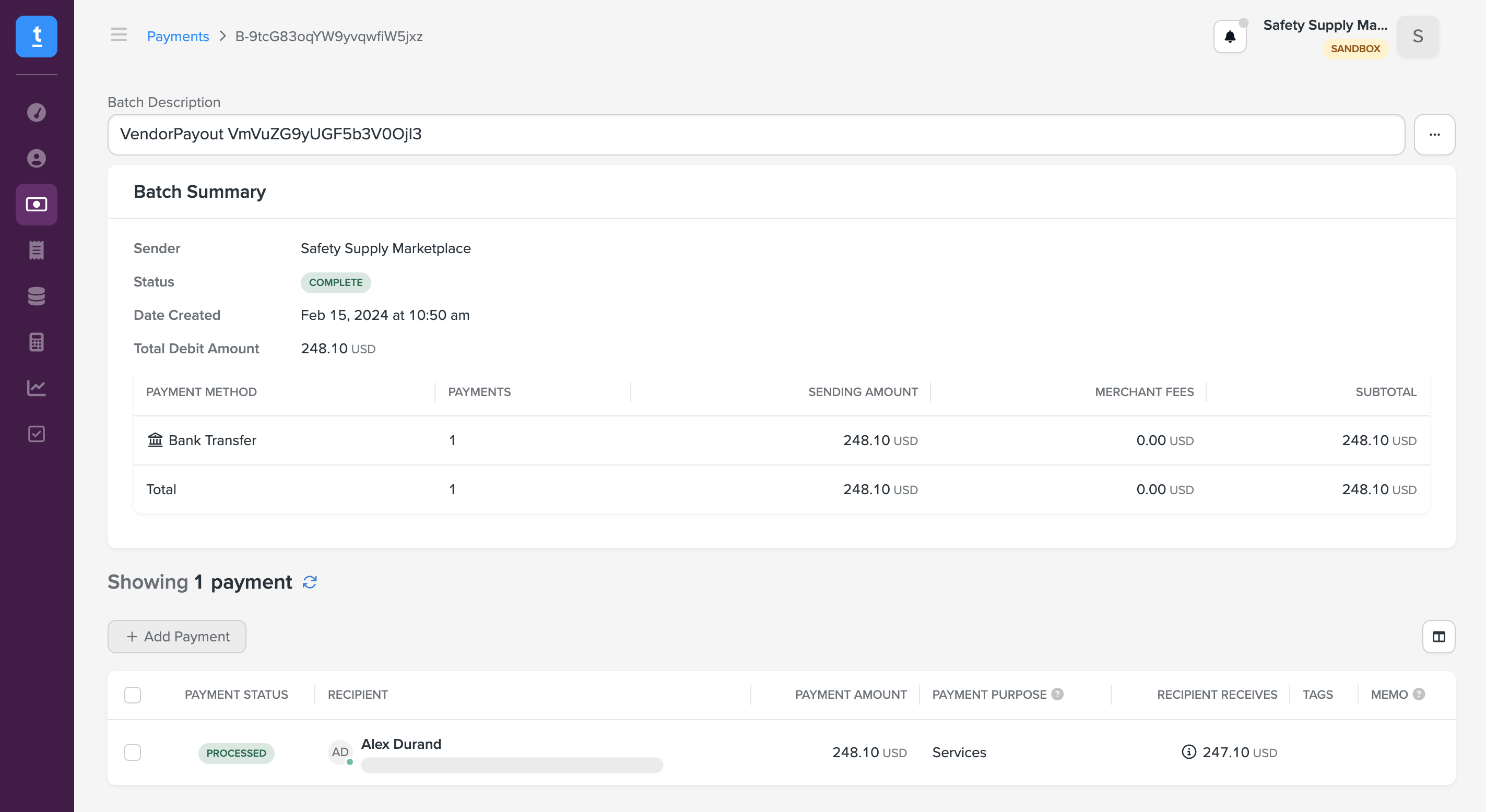
Connect Trolley for payouts
Trolley is a financial application designed to streamline and manage global payout processes for businesses. Traide supports a Trolley plugin to pay out funds to the sellers on your platform directly to their bank account or other preferred payout method.
Set up Trolley account
Before you can connect Traide to Trolley, you must register for a Trolley account. Make sure to complete your onboarding by providing information about your business and act
You can use a sandbox account for testing or a live account for live transactions.
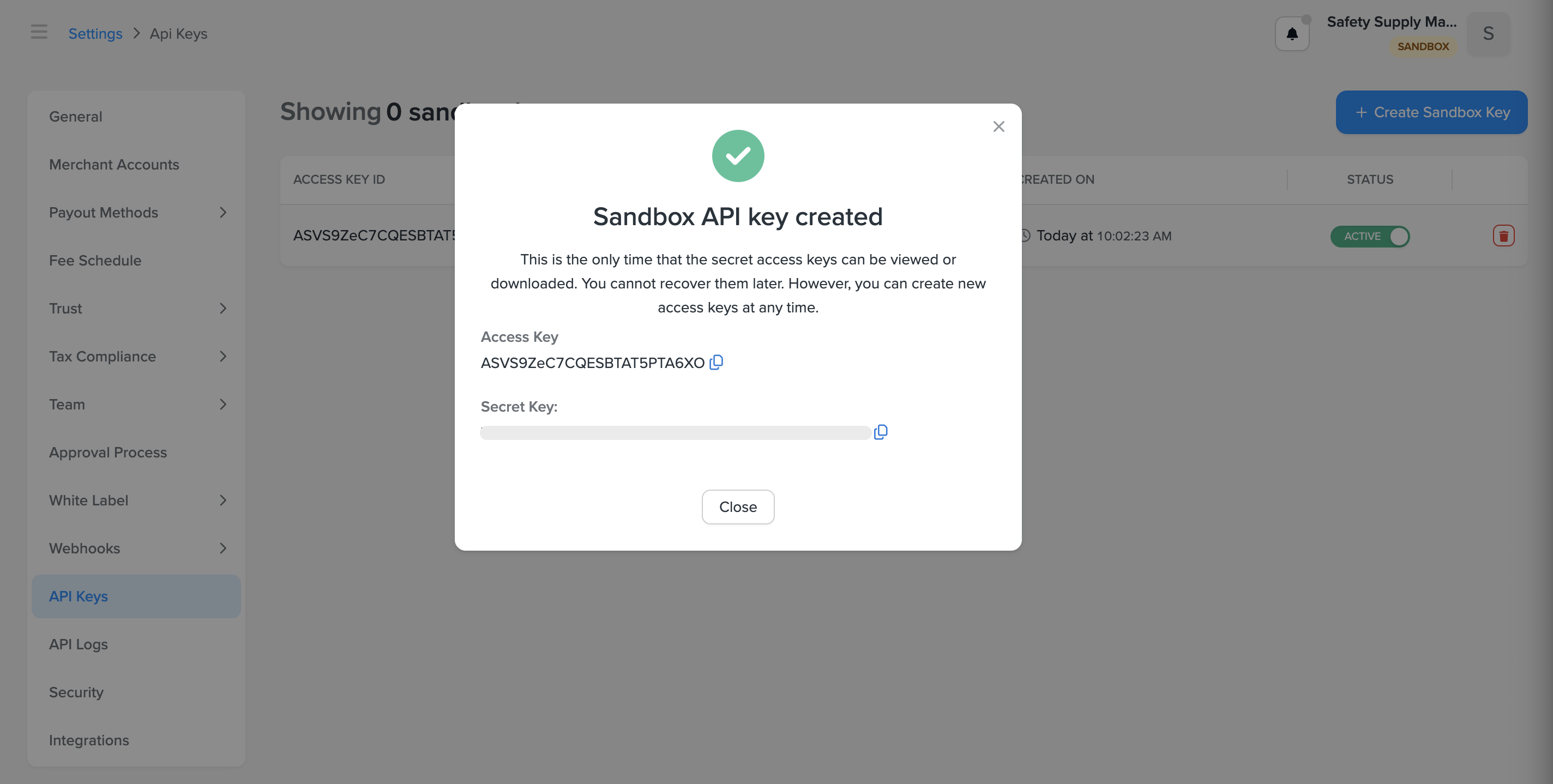
Create API key
- From your Trolley Dashboard, go to Settings -> API Keys.
- Select Create Key.
- Copy the Secret Key before closing the window. You can only view the secret key once after creating the API key.
Activate the Trolley plugin in Traide
- Sign in to your Traide dashboard as a marketplace operator.
- Go to Settings -> Apps -> Trolley and set the following fields:
- Access Key: Enter the Access Key ID copied from your Trolley API key.
- Environment: Choose the type of Trolley account you are connecting, either sandbox or production (live).
- Select Save.
- Under Authorization, select Edit beside Secret Key.
- In the Edit Authorization Field window, enter the Secret key copied from your Trolley API key, and then select Confirm.
- Select Activate.
Using Trolley payouts
Once the Trolley plugin is active, your sellers will have the option to enable Trolley as their payout account. You can choose Trolley as the gateway when processing payouts. However, keep in mind:
- Your Trolley account must have sufficient balance to process the payout, inclusive of any fees.
- Each payout recipient must have completed onboarding with an active payout method.
- To send emails to your recipients from Trolley, you must configure your white label settings.
For more information, see the Trolley Documentation.
Onboard sellers
Sellers can easily enroll as a recipient in Trolley from their seller payout settings within Traide. After enrolling, they need to add their preferred payout method, such as bank, Venmo, or PayPal account.
Step 1: Complete onboarding in Traide
- Sign in to the Traide dashboard.
- Go to the Seller Details page for the seller you want to onboard.
- Sellers can select My Seller from the left navigation pane to go to their seller page.
- Marketplace operators can go to Sellers -> Accounts, and open the appropriate seller.
- On the Overview tab, confirm the seller email and contact information is set correctly. This is set from the user assigned as the Primary Contact.
- Open the Settings tab.
- Under Payout Account, select Connect payout gateway for Trolley.
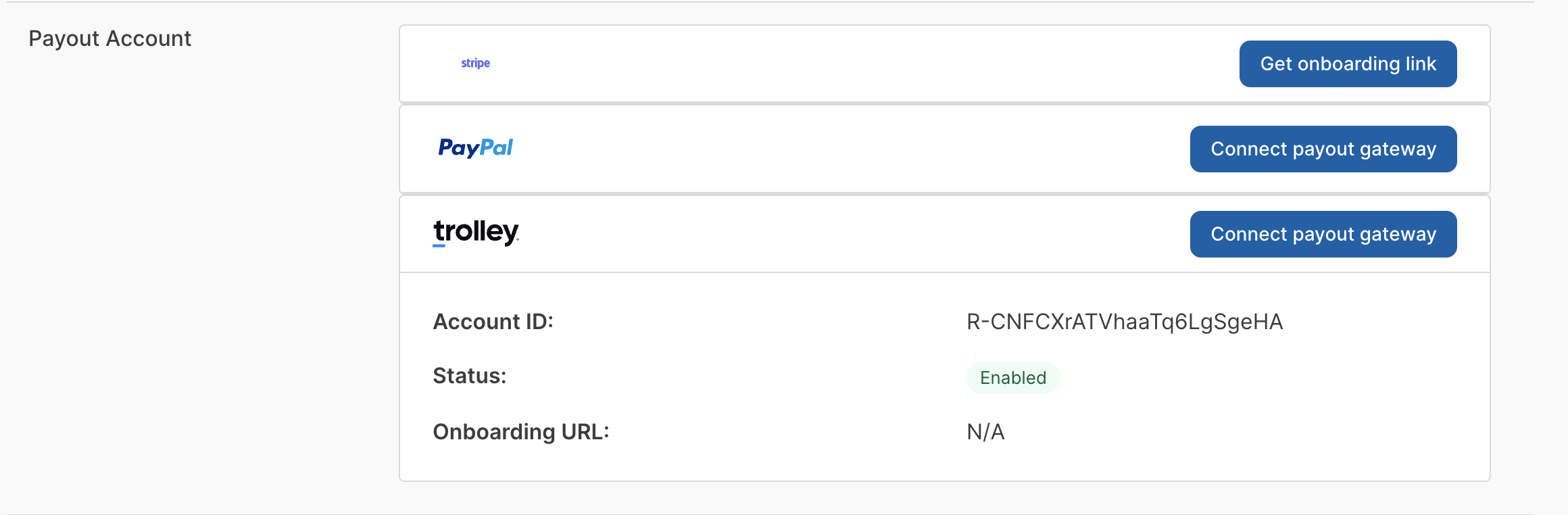
Step 2: Add payment information in Trolley
After connecting the payout gateway, a recipient is registered in Trolley with the contact information for the primary contact linked with the seller account in Traide.
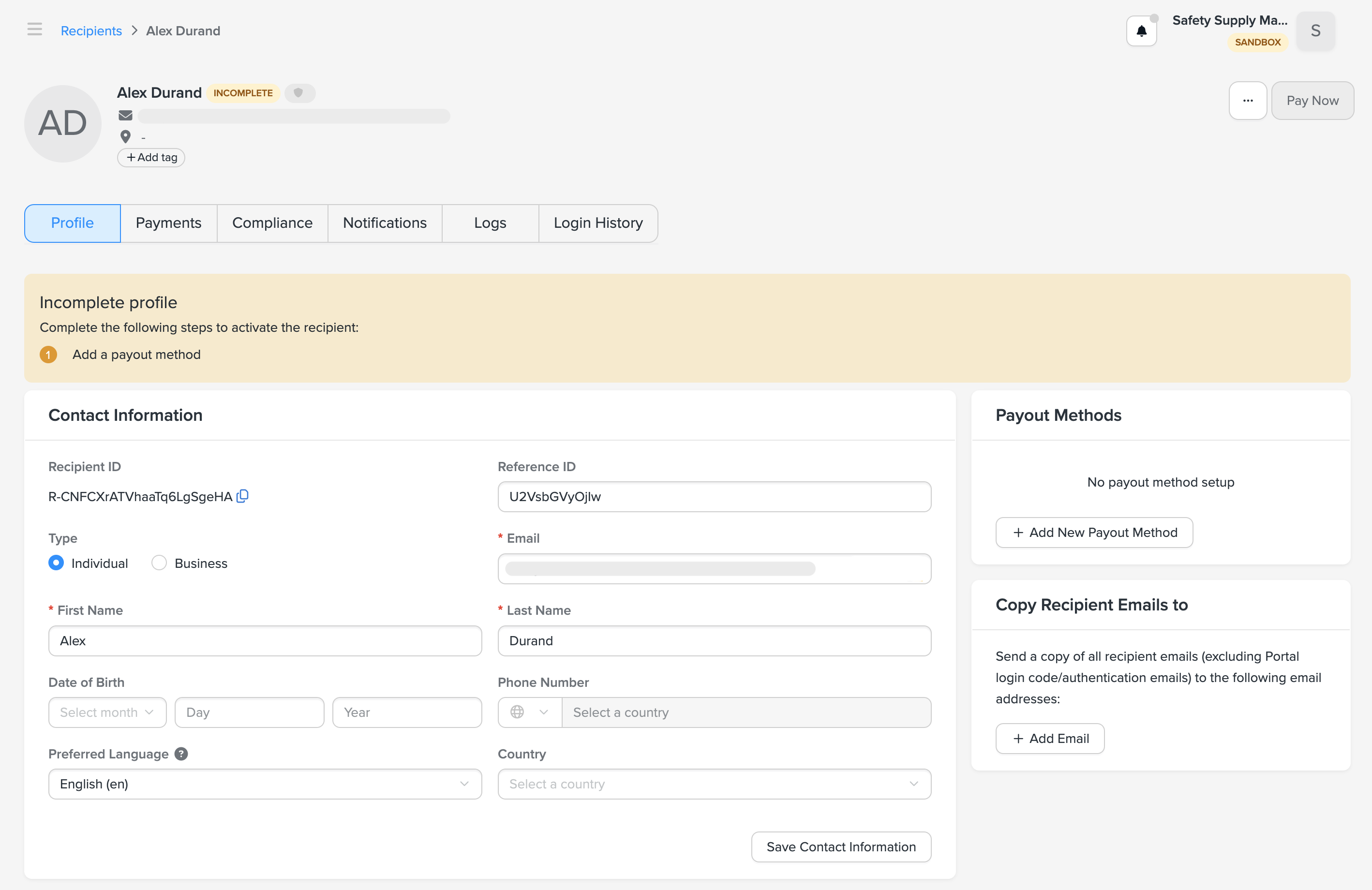
The recipient profile is not complete until you add a payout method. You can either add this information manually from the recipient profile in Trolley, or direct sellers to your Recipient Portal to add this information themselves.
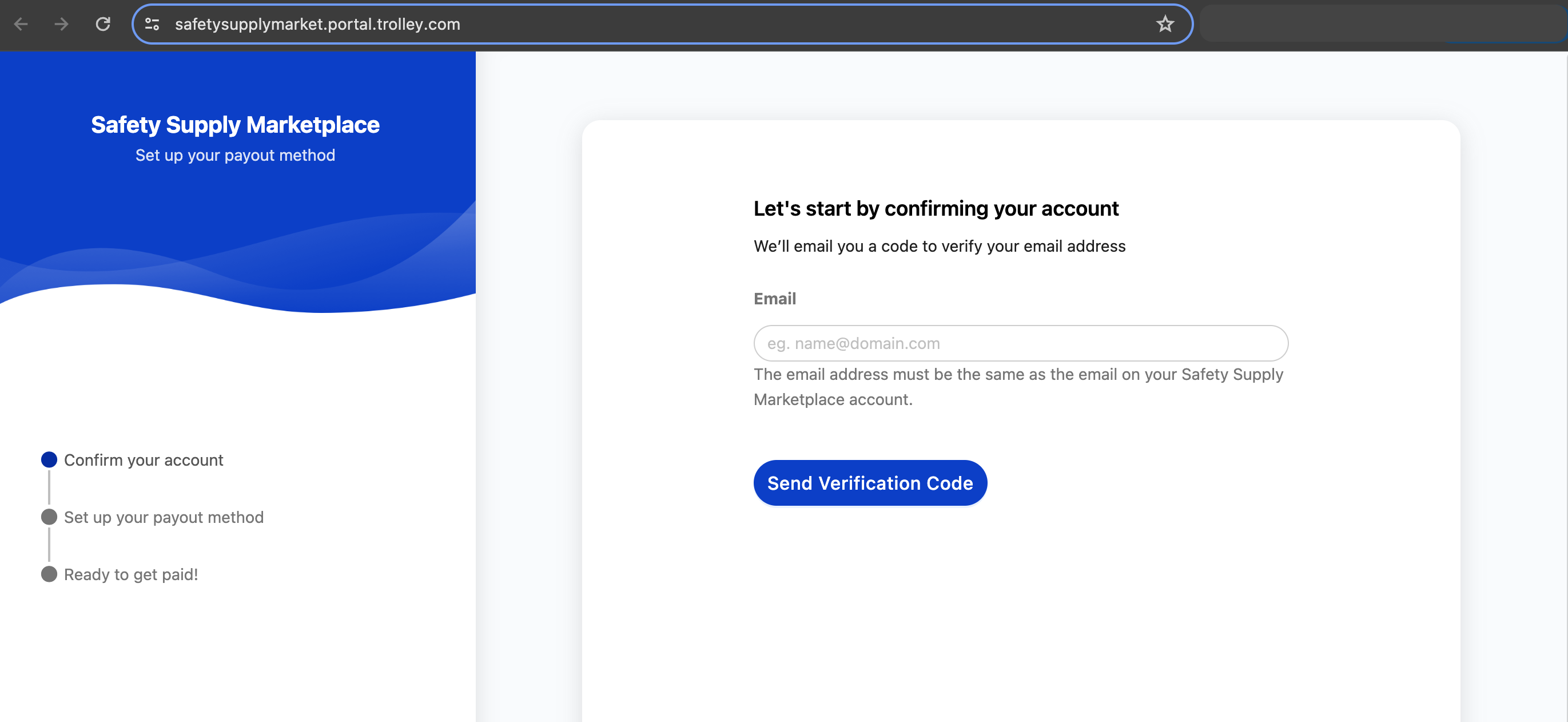
Once the seller has added their payout method, you're ready to start processing payouts with Trolley.
Process payouts with Trolley
Once orders are eligible for payout, you can start processing payouts to your sellers with Trolley. When processing a payout, set the Payout Gateway to Trolley. The seller's payout statement in Traide will reflect that Trolley was used to transfer the funds.
If a payout error occurs, verify your account has sufficient balance and each payout recipient has an active payout method in Trolley.
You can view the payment details in Trolley. Payments may be subject to fees for both the operator (merchant) and seller (recipient), in accordance with Trolley's terms.